Celebrating over 1 Million Downloads and 50,000 Free CEUs on the Sound Bites® Podcast | NEW: Get 1 years’ worth of CEUs with the new 15-CEU Podcast Course
Today’s episode is about a husband and wife – a cattle rancher and a dietitian – and how their work in the field of nutrition addresses “both sides of the plate”.
Today my guests are Kirsten and Blake Angell. Kirsten is a registered dietitian and certified diabetes educator, and the owner of Link 4 Nutrition/Link for Diabetes, a nutrition and wellness company that provides healthy lifestyle-change tools to help people achieve wellness through positive nutrition, physical activity, and behaviors/habits. The primary area of focus for Kirsten’s business is providing diabetes education and management tools to help empower people with diabetes to modify lifestyles and adopt healthy self-care behaviors resulting in better health and quality of life. Blake received a B.S. in Agriculture Business from Colorado State University and has spent his career working with cattle producers across the country to provide marketing alternatives designed to meet the demands of today’s beef consumer. Today, in addition to being a partner in Lundgren Angus Ranch, Kirsten’s family owned registered Angus operation located in western Kansas, Blake also buys cattle for the Meyer Natural Angus beef label.
Blake and Kirsten before the riverboat tour

Melissa, Mark, Blake and Kirsten enjoying the riverboat tour

At Melissa’s Social Media Workshop (presented with Hope Warshaw at AADE in New Orleans)
Sign up for my monthly newsletter and episode eblasts so you never miss an update!

Listen on Stitcher (Android)
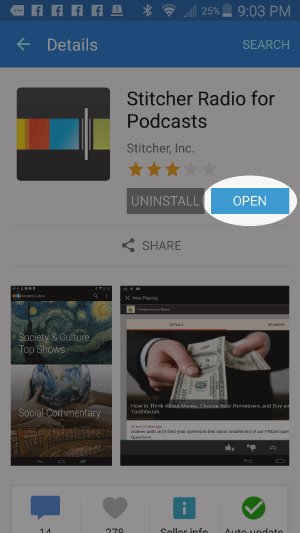
Install the Stitcher App
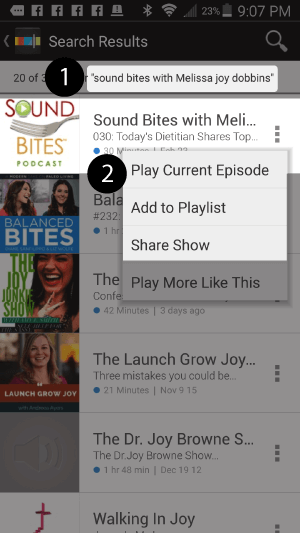
1. Search for “sound bites with melissa joy dobbins” 2. Choose Play Current Episode or Add to Playlist
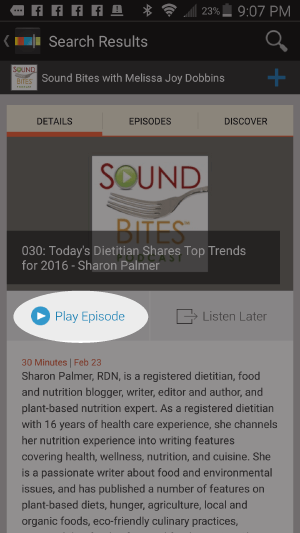
Choose “Play Episode”
Subscribe & Review on iPhone
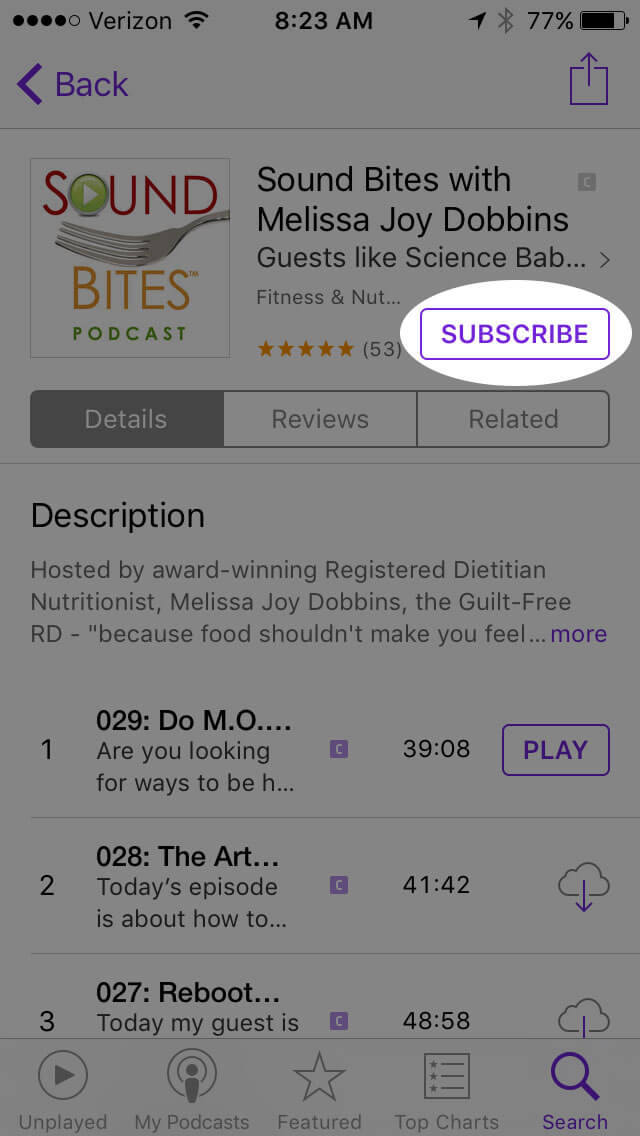
Open the “Podcast” app on your iPhone
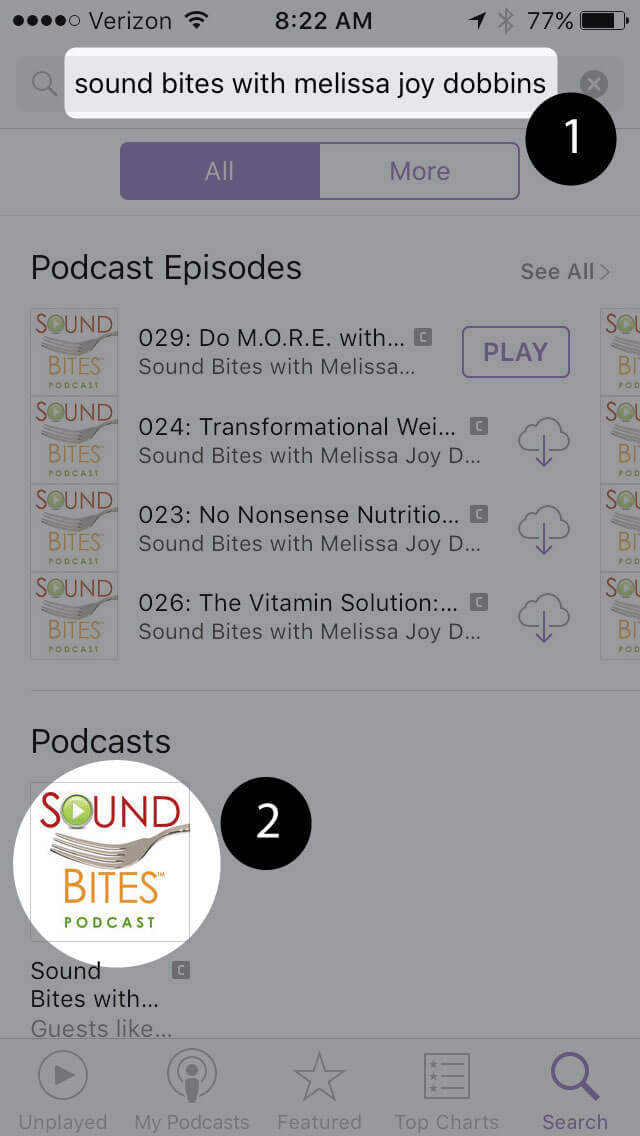
Search for “Sound bites with melissa joy dobbins”
Open the podcast and click “Subscribe” and your done!
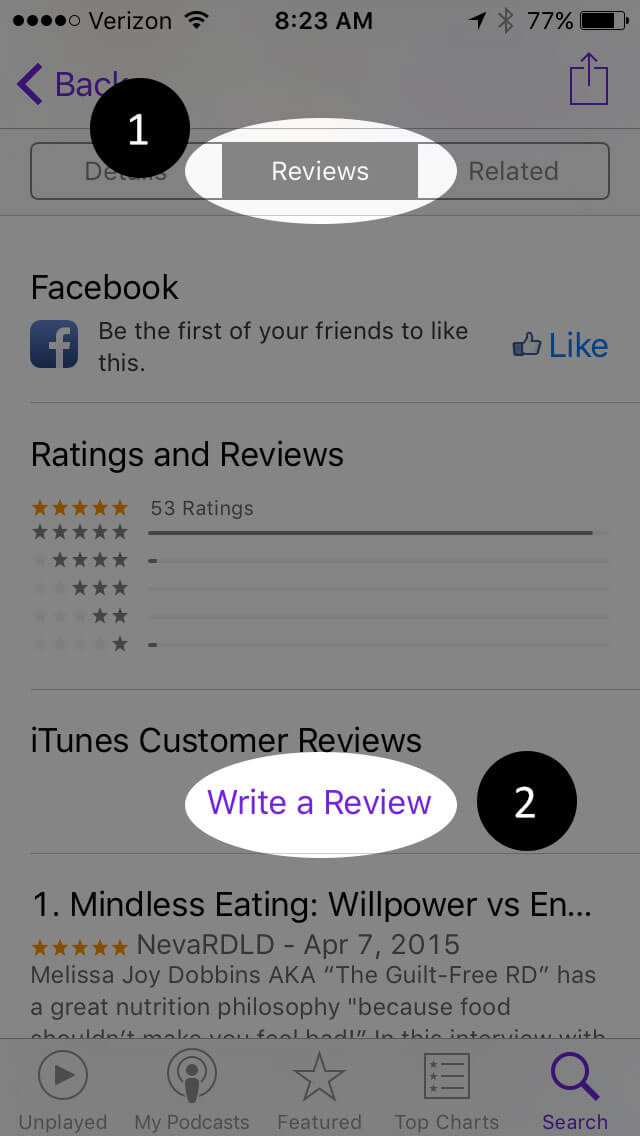
Write a Review
Click “Reviews”, then “Write a Review”.
Subscribe via RSS Feed
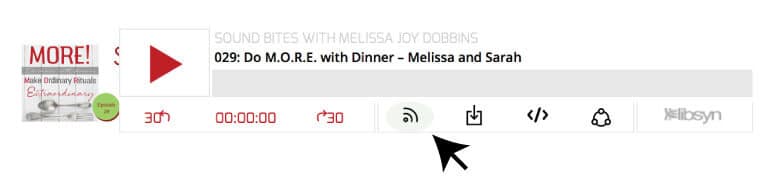
Navigate to any podcast player . Click on the RSS feed icon.
Click on the RSS feed icon.
Click on RSS Feed
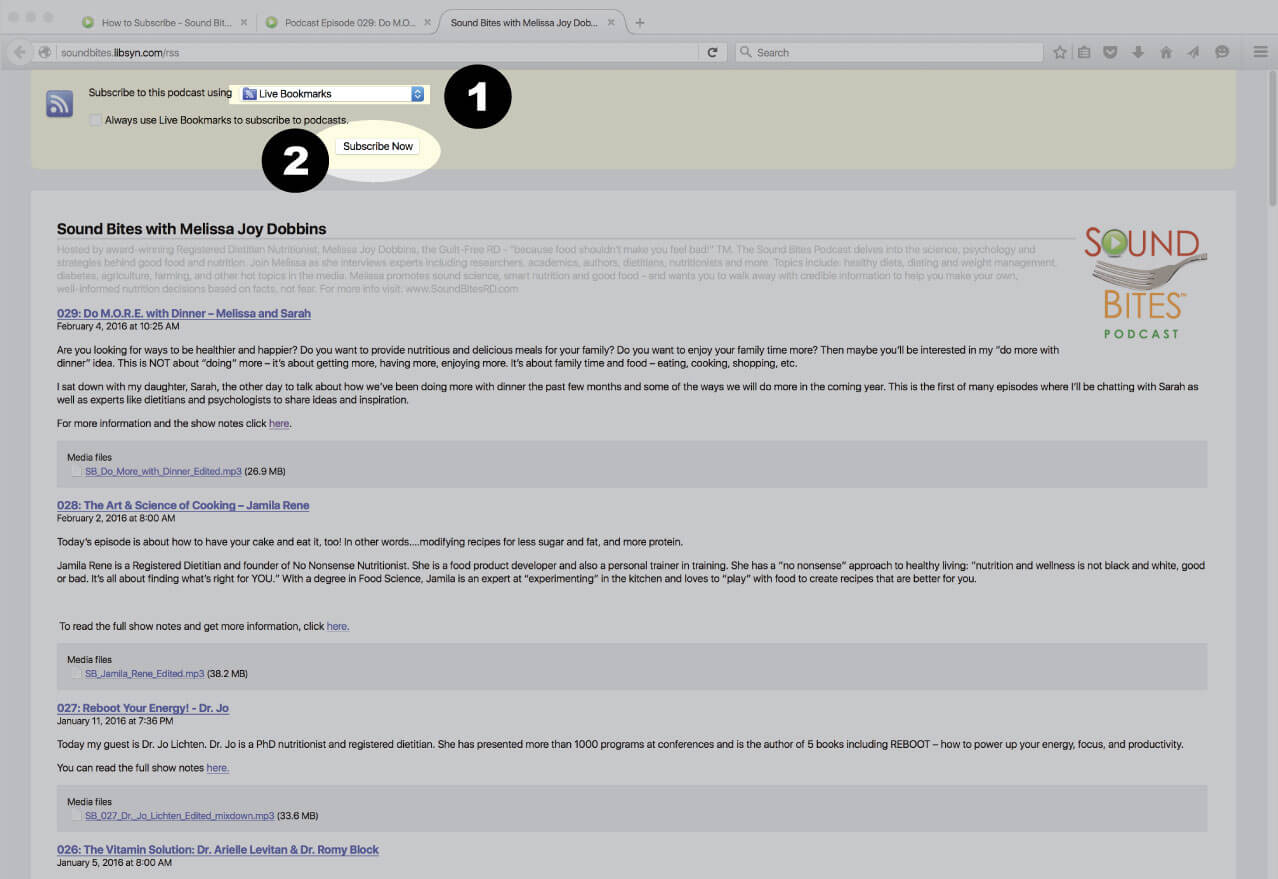
Choose which application you would like to use to receive the RSS feed
Click “Subscribe Now”
Confirm settings and subscribe.
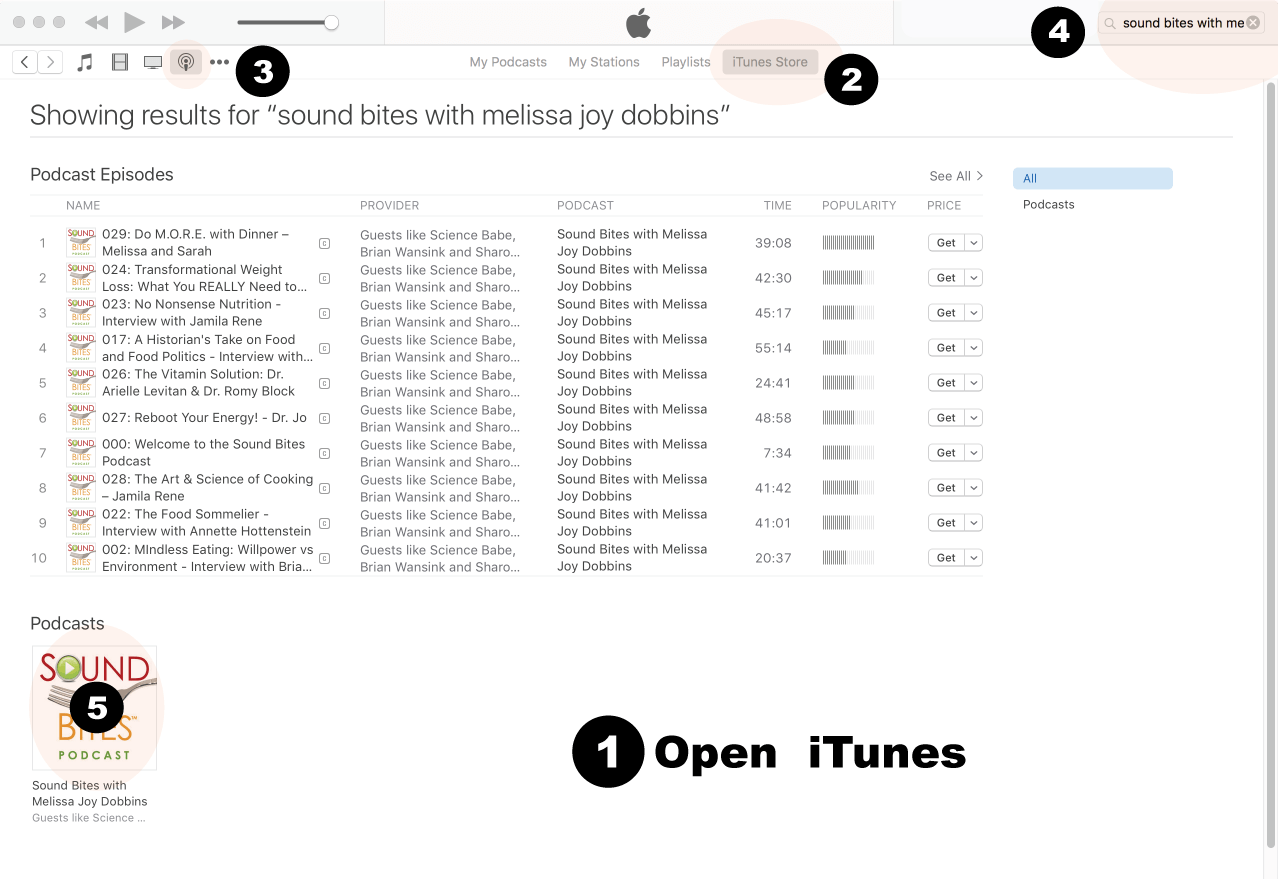
How to Review in iTunes
Open iTunes desktop application
Click iTunes Store
Click on Podcasts
Search for “Sound bites with Melissa Joy Dobbins”
Click on podcast image
Search for Sound Bites podcast in iTunes
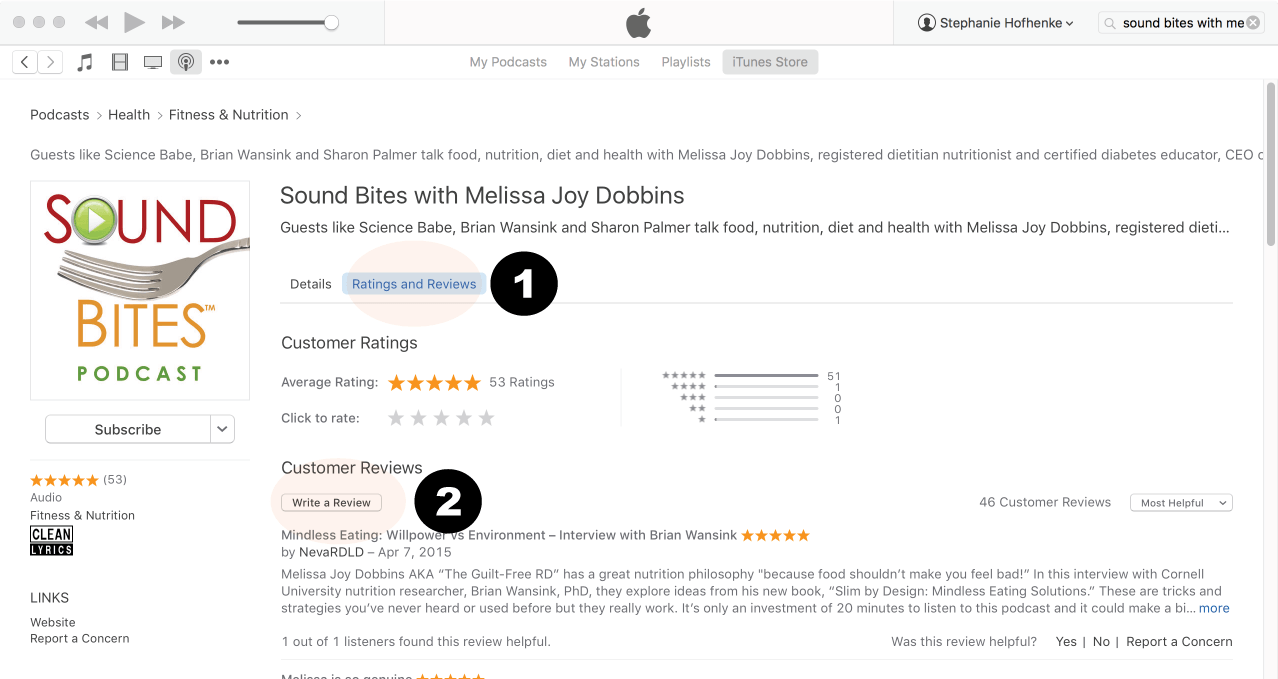
Click Ratings & Reivews
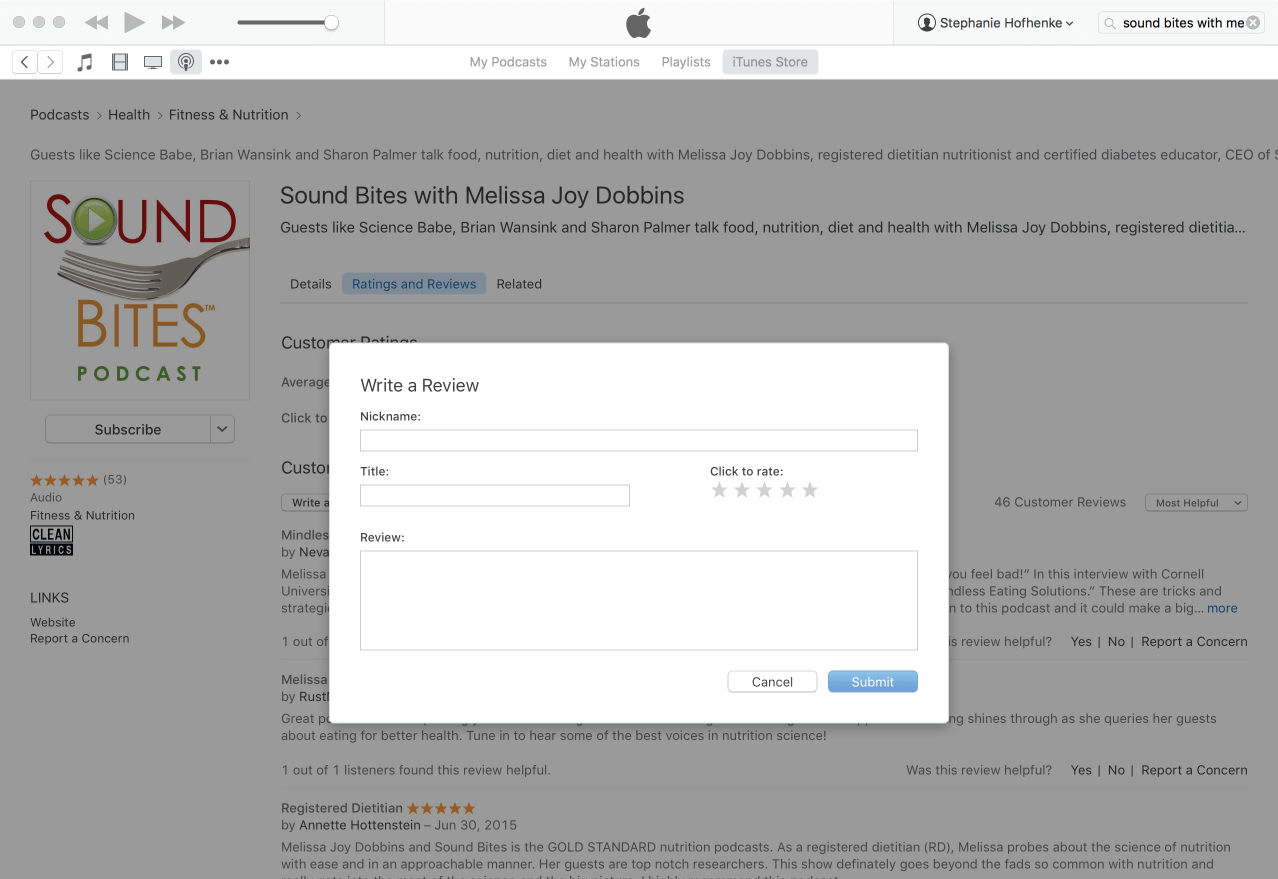
Click Write a Review
View reviews and write your own review.
Write your review…. Thank you!
Write your review!
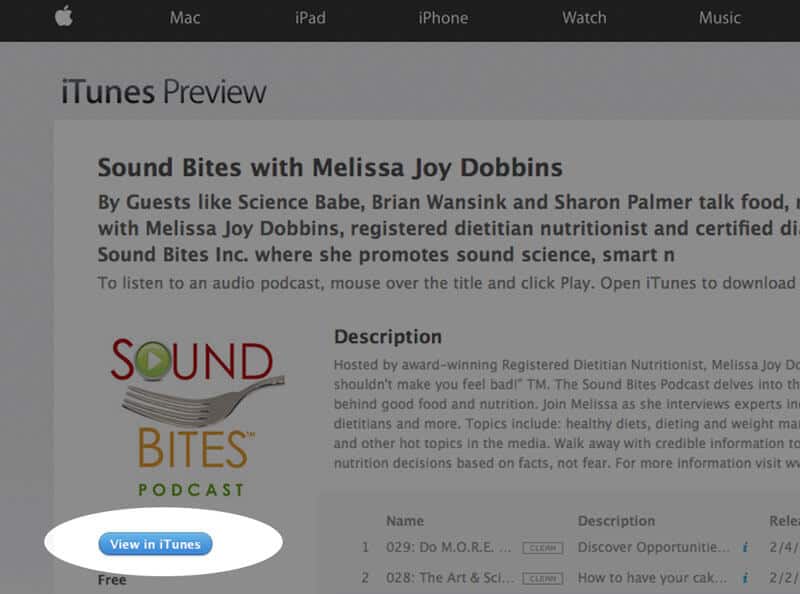
How to subscribe via iTunes
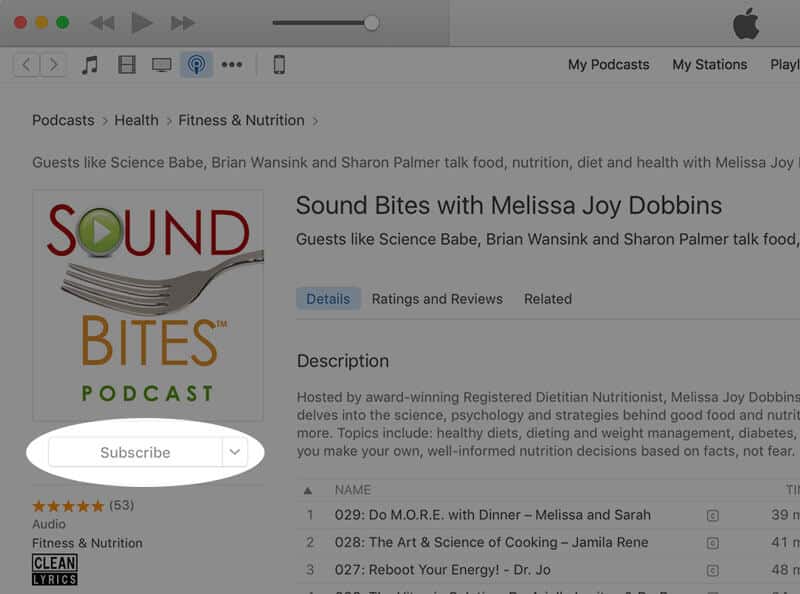
Click here to view the Sound Bites Podcastin iTunes, then click the blue “View in iTunes” button. This will open your iTunes application directly to Sound Bites Podcast. Click the “Subscribe” button, and your done!